
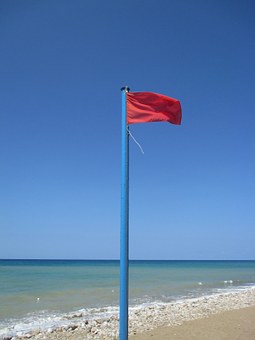
 Those who loves Canada’s oceans and lakes are well aware that a red flag flying on a beach pole is a signal that there could be trouble ahead. Rogue waves could wash away the sand beneath your feet or cause a rough ride for boaters.
Tax season, now at its peak, is another thing that is often accompanied by red flags waving, but people eager to keep as much of their income as possible sometimes fail to see them and end up drowning in paperwork when they are audited.
Nothing makes for smooth sailing any better than keeping all your receipts organized and easy to access at a moment’s notice. Knowing what you can claim and what is dubious is also important, and for that reason, it makes sense to get the help of a certified tax specialist when you are compiling your yearly federal income tax returns.
The offshore accounts red flag
If you have set up offshore companies in Panama or elsewhere to divert some of your income, expect that Revenue Canada will see a red flag on that this year.
Ever since a leak from a Panamanian law firm revealed documents of how many Canadians were hiding their income in offshore companies there, that practice has hit turbulent waters.
Since January of 2015, Canada’s tax guardians have been monitoring all international transfers of funds worth more than $10,000, a federal government spokesperson confirmed.
The scrutiny will be heightened in the coming months. Canada’s new government has promised to invest almost $450 million over five years to gather more information about tax evasion.
Each case has to be judged on individual merit and current regulations. But if a friend suggests saving your tax dollars by establishing an offshore company, get legal advice to ensure that you will not end up in trouble with the Canada Revenue Agency as a result.
The claiming your car and moving expenses red flag
It is entirely legitimate to claim your car as a work expense if you qualify (as in commercial travelers, small and medium-sized business owners, etc.) but you may be called upon to deliver call logs depicting the nature of the trips you took, the starting and ending mileage, and your gas receipts.
You may get away with sloppy accounting in this regard, but if your expenses claimed seemed out of line with the work that you are doing (and there are averages in every industry), then you may find a red flag flying around this deduction.
The same goes for moving expenses. When you have to leave one community and move to another because of your job, it is a legitimate expense that can be claimed. But be careful. Ensure that you have all your receipts for movers, packers, etc. because people who frequently move for work also can be signaled with a red flag.
Get your Canada Revenue Agency (CRA) mail on line
One way to keep away the red flags is to ensure that you set up an excellent system for saving your receipts and for tax planning throughout the year.
A new convenient tool for keeping aware of when CRA is trying to contact you is to arrange to get your mail from them online.
Once you register, they will send your notices of assessment and benefit notices directly to your email.
To set up online mail, register for the CRA’s “My Account,” their online service for people. You can connect to it here: http://www.cra-arc.gc.ca/esrvc-srvce/tx/psssrvcs/gtnln/nfgrphc1-eng.html.
Certified professional bookkeeper and certified tax specialist Elena Ivanova is managing director of Piligrim Accounting Inc., a national accounting and tax preparation service based in Richmond Hill, Ont. You can reach her at info@piligrim-accounting.com.